
Deposit
How to get money into the account, step by step, and what it costs.
Open the deposit panel
Click Deposit in the top bar. A panel slides in from the right over whatever you were looking at, with three tabs — Deposit, Withdraw and Transfer. Clicking outside the panel closes it, as does the ✕ in its corner.
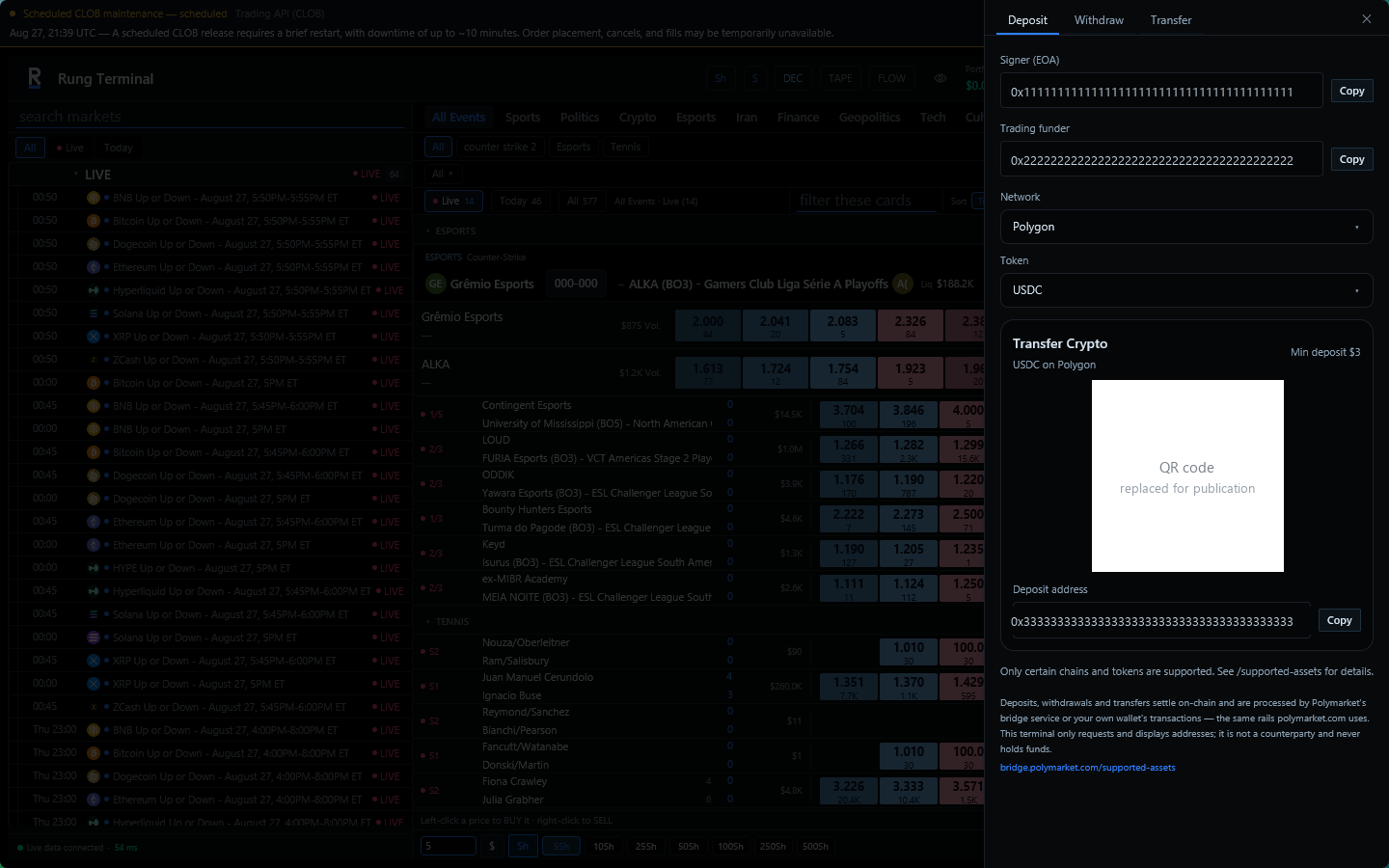
Two addresses sit at the top of the Deposit tab, each with a Copy button:
- Signer (EOA) — the wallet you imported. It signs; it is not where your trading balance lives.
- Trading funder — the address that holds the balance, derived from the signer.
Neither of them is where you send a deposit. The address to send to is further down the panel, and it depends on the network and token you pick.
Sending crypto
- Pick the Network you are sending from. This must match the network your exchange or wallet actually sends on — Ethereum, Polygon, Base, Solana, Bitcoin and Tron are all different networks even for a token with the same name.
- Pick the Token. The list only offers tokens that exist on the network you chose, so the two can never disagree.
- Transfer Crypto appears below, naming the pair you picked — "USDC on Polygon", for example — with the minimum for it, a QR code, and the Deposit address with its own Copy button.
- Send from your exchange or wallet to that address, or scan the QR from a phone wallet.
If a network and token pair has no route, the panel says No supported crypto route found instead of showing an address. Choose a different pair.
Your deposit address is not always the same
The address shown depends on the network and token you picked. Do not save one and reuse it later for something else — open this panel each time and copy what it shows for that pair.
The minimum is a floor, not a target
Min deposit is measured against what *arrives* after conversion, not what you send. A transfer that leaves at exactly the minimum can land under it once the spread is taken, and then it sits unconverted instead of being credited. The figure shown already carries a margin for that — never below $3, and never below $10 for Bitcoin or for anything on Tron — but send comfortably above it anyway, and do not test with dust.
How long it takes and what it costs
Crediting happens after the network confirms your transfer. Minutes on Polygon or Solana; longer on Bitcoin.
Two costs are worth expecting, and neither is charged by this application:
- The network fee your sending exchange or wallet charges.
- A conversion spread when what you send is not already the token the account settles in. The amount credited can be slightly below what you sent. If you want to avoid it, send USDC on Polygon.
The Transfer tab
The third tab is not a deposit route. It moves pUSD on Polygon out of your funder to a Polygon address you type, and it exists for balance that is already on-chain under your account. It shows your available pUSD and whether the funder contract is deployed, and it asks twice: Review pUSD transfer, then Confirm and send pUSD. The second click broadcasts a real transaction.
Checking it arrived
The balance in the top bar updates once the deposit is credited. If it has confirmed on-chain but the balance has not moved, give it a few minutes, then see Troubleshooting.